Comparison 3 tools
VEED vs OpusClip vs Riverside: check before you pay
All three turn one long video into short clips, and all three are on our Watch list over billing and cancellation complaints. A checklist, not a ranking.
Quick answer
This page doesn't pick a winner. The side-by-side table below shows how they differ.
Try it: Find the best short clips in my video
Paste your video's transcript (the written words of what is said in it) in line 3. No transcript? If the video is on YouTube, click Show transcript in its description and copy the lines; if not, type out what you say. You get the 5 to 7 best clips, with a caption for each.
Copy and paste
FILL THIS IN (then copy everything into your AI chat)
Video length (how long the video is, like 3 minutes): 3 minutes
My business (what kind of business the video is for, like plumbing or a bakery): plumbing business
Transcript (the written words of what's said in the video; if you have no transcript, copy the captions from your video app): Hi, I'm Dana from Brightside Plumbing in Tulsa. Today I want to share three things that save you money on your water bill.
First, check your toilets for silent leaks. Put a few drops of food coloring in the tank and wait ten minutes without flushing.
If color shows up in the bowl, the flapper is leaking, and that can waste up to 200 gallons a day.
Second, know where your main shutoff valve is. If a pipe bursts, every minute counts, and most people can't find theirs.
It's usually near the water meter or where the line enters the house. Turn it clockwise to close it.
Third, flush your water heater once a year. Sediment builds up and makes it work harder and fail sooner.
A tune-up visit from us is $89 right now, and that includes the flush.
Call us at 918-555-0142 or book at brightsideplumbing dot example.
One more tip: insulate the first six feet of hot water pipe. It's a ten dollar fix that pays off in one winter.
If you remember one thing from today, remember the food coloring trick. It takes two minutes.
Thanks for watching, and I'll see you next week.
--- Don't change anything below this line ---
You are a social video editor for small businesses. I recorded a video (length in "Video length") for "My business". The transcript is above. Find the 5 to 7 best short clips for social media. Each clip should make one point, be 1 to 3 sentences in a row from the transcript, and make sense on its own. Count the sentences in each clip; if there are more than 3, split it or trim it. Put any price or offer in its own clip, not added to a tip. No clip may start with "it", "this", "that", "they" or "theirs": start it at the earlier sentence that says what the word means, and if that makes it more than 3 sentences, cut sentences from the end (overlapping another clip is fine).
Write the clips as a numbered list, not a table, and include every clip in this reply. For each clip, give me: a short title, the start and end (quote the first and last few words), why it works, a one-line caption, and on-screen text of 6 words or fewer (count them) taken from the clip's own words. Captions and on-screen text may only use facts and wording from the transcript; don't add benefits it doesn't mention.
Then tell me which clip to post first and why, in one sentence.
Then list every name, price and phone number in the transcript, including prices said in words, so I can check the captions spell them right.
Only use what is in the transcript. Don't post or schedule anything.
Example result
We filled in: Video length: 3 minutes. My business: plumbing business. Transcript: the sample plumbing video transcript already in the prompt.
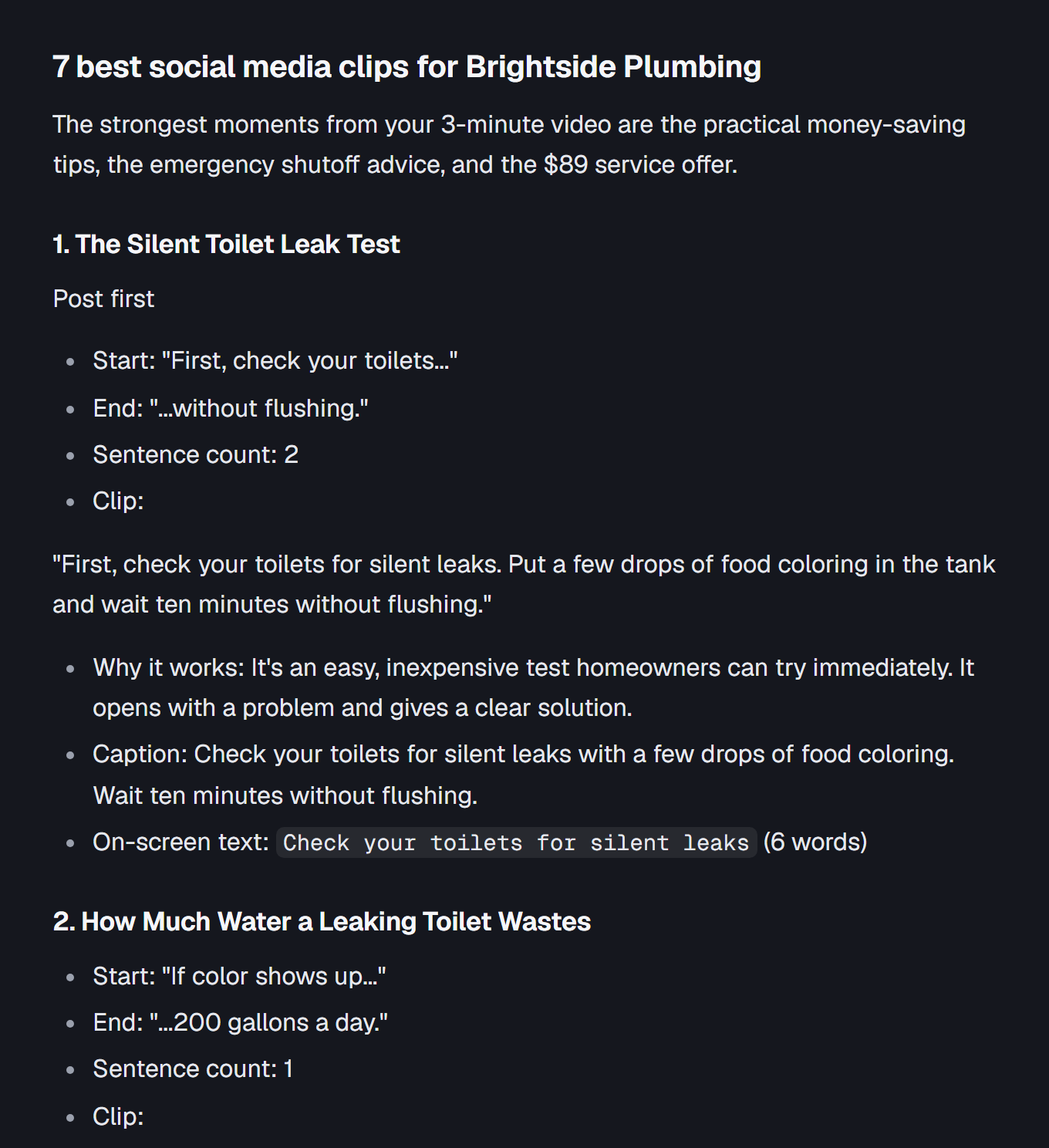
7 best social media clips for Brightside Plumbing
The strongest moments from your 3-minute video are the practical money-saving tips, the emergency shutoff advice, and the $89 service offer.
1. The Silent Toilet Leak Test
Post first
- Start: "First, check your toilets..."
- End: "...without flushing."
- Sentence count: 2
- Clip:
"First, check your toilets for silent leaks. Put a few drops of food coloring in the tank and wait ten minutes without flushing."
- Why it works: It's an easy, inexpensive test homeowners can try immediately. It opens with a problem and gives a clear solution.
- Caption: Check your toilets for silent leaks with a few drops of food coloring. Wait ten minutes without flushing.
- On-screen text:
Check your toilets for silent leaks(6 words)
2. How Much Water a Leaking Toilet Wastes
- Start: "If color shows up..."
- End: "...200 gallons a day."
- Sentence count: 1
- Clip:
"If color shows up in the bowl, the flapper is leaking, and that can waste up to 200 gallons a day."
- Why it works: The 200-gallon figure is attention-grabbing and gives viewers a reason to check their toilets.
- Caption: A leaking toilet flapper can waste up to 200 gallons a day.
- On-screen text:
200 gallons a day(4 words)
3. Find Your Main Water Shutoff Valve
- Start: "Second, know where..."
- End: "...can't find theirs."
- Sentence count: 2
- Clip:
"Second, know where your main shutoff valve is. If a pipe bursts, every minute counts, and most people can't find theirs."
- Why it works: It highlights an important emergency-preparedness tip that homeowners may not have considered.
- Caption: Know where your main shutoff valve is before a pipe bursts.
- On-screen text:
Know where your main shutoff valve is(7 words)
4. How to Close Your Main Water Valve
- Start: "It's usually near..."
- End: "...to close it."
- Sentence count: 2
- Clip:
"It's usually near the water meter or where the line enters the house. Turn it clockwise to close it."
- Why it works: Gives viewers straightforward instructions they can remember during a plumbing emergency.
- Caption: Your main shutoff valve is usually near the water meter or where the line enters the house. Turn it clockwise to close it.
- On-screen text:
Turn it clockwise to close it(6 words)
5. Flush Your Water Heater Once a Year
- Start: "Third, flush your..."
- End: "...fail sooner."
- Sentence count: 2
- Clip:
"Third, flush your water heater once a year. Sediment builds up and makes it work harder and fail sooner."
- Why it works: It's a simple maintenance reminder that establishes Brightside Plumbing as a helpful source of home maintenance advice.
- Caption: Flush your water heater once a year. Sediment builds up and makes it work harder and fail sooner.
- On-screen text:
Flush your water heater once a year(7 words)
6. The $89 Water Heater Tune-Up
Service offer
- Start: "A tune-up visit..."
- End: "...includes the flush."
- Sentence count: 1
- Clip:
"A tune-up visit from us is $89 right now, and that includes the flush."
- Why it works: A specific price and included service make this a clear promotional clip.
- Caption: A water heater tune-up visit from Brightside Plumbing is $89 right now and includes the flush.
- On-screen text:
$89 right now(3 words)
7. The $10 Hot Water Pipe Tip
- Start: "One more tip..."
- End: "...one winter."
- Sentence count: 1
- Clip:
"One more tip: insulate the first six feet of hot water pipe. It's a ten dollar fix that pays off in one winter."
- Why it works: The low stated cost makes this a memorable final practical tip.
- Caption: Insulate the first six feet of hot water pipe. It's a ten dollar fix that pays off in one winter.
- On-screen text:
Insulate the first six feet(5 words)
Which clip should you post first?
Post Clip 1: The Silent Toilet Leak Test. It starts with an easy action, creates curiosity, and gives homeowners a practical tip they can try right away.
Names, prices and phone numbers to double-check
Here is every name, price, and phone number mentioned in the transcript.
Names
- Dana
- Brightside Plumbing
- Tulsa
Prices and amounts
- $89, tune-up visit
- Ten dollars, pipe insulation fix
- Six feet, length of pipe to insulate
- Ten minutes, toilet leak test waiting time
- 200 gallons a day, potential water waste
Phone number
\- 918-555-0142
Website
\- brightsideplumbing dot example
Editing recommendation: Keep the clips focused on one tip each, use large readable on-screen text, and retain Dana's business name or phone number in the promotional clip. No clips have been posted or scheduled.
Remove names, account numbers and codes before you paste.
Side by side
Scroll to see every column
| Feature | VEED | OpusClip | Riverside |
|---|---|---|---|
| Our status | Watch: billing and cancellation complaint pattern | Watch: billing and cancellation complaint pattern | Watch: billing and cancellation complaint pattern |
| Free plan or trial | The pricing page says you can start for free. We did not confirm the free plan's limits | Free plan: 60 credits a month, watermark, no editing, clips can't be exported after 3 days. Starter and Pro list a free trial with no credit card required | Paid plans list a 14-day free trial. We could not confirm a permanent free plan |
| Prices we read (Nov 2) | Creator $25 a month billed monthly, or $12 a month billed yearly. Pro $45 monthly, or $22 yearly. Per user | Starter $15 a month, monthly billing only, 150 credits. Pro $29 monthly, or $14.50 a month billed yearly, for a pack of 2 seats, 300 credits | Pro $35 a month billed monthly, or $29 a month billed yearly. The yearly price has changed between visits |
| Cancel and refund terms | The pricing page sends you to its Terms of Sale for refunds. Read them before you pay | We did not read the cancel or refund terms. Read them before you pay | We did not read the cancel or refund terms. Read them before you pay |
| What we did not test | Clip quality, caption accuracy, speed, or how cancelling works | Clip quality, caption accuracy, speed, or how cancelling works | Clip quality, caption accuracy, speed, or how cancelling works |
Prices checked
- VEED checked Nov 2, 2026, from its pricing page (veed.io). Watch outVisit VEED (opens the official site in a new tab)
Billing and cancellation complaint pattern
- OpusClip checked Nov 2, 2026, from its pricing page (opus.pro). Watch outVisit OpusClip (opens the official site in a new tab)
Billing and cancellation complaint pattern
- Riverside checked Nov 2, 2026, from its pricing page (riverside.com). Watch outVisit Riverside (opens the official site in a new tab)
Billing and cancellation complaint pattern
These are the pricing pages we read. Prices change often, so confirm the current price on the company's own site before you pay.
This is a checklist, not a ranking. VEED, OpusClip and Riverside can all cut a long recording into short clips. All three are on Pocket Friday's Watch list, because of a pattern of billing and cancellation complaints. That's why this page doesn't pick a winner.
We have not tested these tools hands-on. Everything below comes from each company's own pages, read on November 2, 2026 unless it says otherwise.
Check these before you enter a card
- What the free plan really gives you. Look for a watermark, an export limit, and how long your clips stay downloadable. A free plan that stops you exporting after three days works more like a trial than a free tool.
- How you cancel. Find the cancel steps before you sign up. Can you cancel yourself in the account, or only by emailing support? Does the plan keep running until the end of the period you paid for?
- What the refund terms say. Read them while you're still deciding. Don't assume you can get money back from a yearly plan.
- Monthly or yearly. A yearly price is the monthly cost when you pay for a year up front. Check the full total and the renewal terms.
- What happens when the trial ends. If the trial asks for a card, find out what it charges and when. Put the end date in your calendar.
- Your card statement, the next month. Check that the charge matches what you agreed to, and cancel on the day you decide you don't need it.
OpusClip: the free plan has a short clock
OpusClip's pricing page lists a Free plan with 60 credits a month and a watermark. Free clips can't be exported after 3 days, so a batch you come back to later may be gone. Starter is $15 a month and is sold on monthly billing only, with 150 credits a month. Pro is $29 a month billed monthly, or $14.50 a month billed yearly for a pack of 2 seats, with 300 credits a month. The page says Starter and Pro have a free trial with no credit card required.
To try it: use a recording that's typical of your work, then watch the start and end of each suggested clip. Would a new viewer know what question you're answering? Did the cut lose a condition, a correction or a moment where the speaker wasn't sure? Download a clip you'd actually use before you decide.
If a tool predicts which clips will be popular, treat that as a guess, not a promise.
Riverside: recording is part of the product
Riverside's Magic Clips documentation says it makes highlights from your recordings or uploaded files, which you can adjust in the editor. Riverside calls the results experimental. That makes it worth a look if your regular job starts with a guest conversation, not a finished video.
New on Oct 26: Riverside launched Riverside Agents, an AI team of a Producer, an Editor, a Clipper and a Marketer. We haven't tried it, and the launch post doesn't say which plans include it, so check that before you pay.
On the pricing page, Pro is $35 a month billed monthly, or $29 a month billed yearly, with a 14-day free trial. The yearly amounts have shown different numbers on different visits, so confirm the total at checkout. We could not confirm a permanent free plan.
VEED: it's an editor first
VEED's clip-generator page says you can steer clips with topic prompts, pick format and caption settings, and trim or extend clips by editing the transcript. The page says the clip tool needs spoken dialogue, so don't expect it to find highlights in every kind of footage.
On VEED's pricing page, Creator is $25 a month billed monthly, or $12 a month billed yearly, and Pro is $45 monthly or $22 yearly, all per user. The page says you can start for free, but we did not confirm what the free plan limits. For refunds, the page points to VEED's Terms of Sale, so read that before you pay.
Test the clips, not the feature list
Use the same recording in each tool you try, and jot down your answers:
Scroll to see every column
| Question | Your result |
|---|---|
| Which suggested moments were actually useful? | Name them. Don't just count every clip it made. |
| What needed correction? | Note caption, framing, context and audio fixes. |
| Could you make those fixes yourself? | Note any step that confused you. |
| What did the exported file look and sound like? | Check the downloaded file on the device your audience uses. |
| How do you cancel, and what do the refund terms say? | Write down the steps and where you found them. |
| What would the normal month cost? | Include the billing period, seats, usage allowance and any extra export needs. |
Use footage you have permission to use, and don't upload private customer information just to test an editor. Read every caption, especially names, prices, dates and words like "not." Keep a person reviewing every clip, whichever tool you pick.
Questions
Why link to tools on the Watch list?
All three tools are on Pocket Friday's Watch list. We link to their official sites so you can check the terms yourself. Any link that earns us money is labeled, and it never changes our verdict.
Why are they on Watch?
We moved them from Pass to Watch on October 30, 2026 because of a pattern of billing and cancellation complaints. We have not tested how billing or cancelling works ourselves, so check the terms before you pay.
Are these hands-on recommendations?
No. We read each company's own pricing and help pages. We have not tested export quality, caption accuracy, processing speed or how clips do with an audience, and we are not picking a winner.
Should I buy a yearly plan right away?
We wouldn't. Try one of your typical recordings and look at an exported clip first. Then compare the full yearly cost with paying monthly, and read the cancel and refund terms.