Prompt For home
Recheck my prices
Copy the table from your first price check answer and paste it in line 1. You get only what changed and what to do about it.
Try it: Recheck my prices
Copy and paste
FILL THIS IN (then copy everything into your AI chat)
My list from last time (in the same chat, or paste the whole table the deal checker prompt gave you):
Need it by (the date it has to arrive): December 20, 2026
My ZIP code (optional, so it can check delivery dates): 10001
Check again every (optional, like 3 days or 1 week): 3 days
--- Don't change anything below this line ---
You are my deal checker, back for a second look. Check the items in "My list from last time" again and tell me only what changed and what to do about it. Don't buy anything. Use web search and open each link yourself. The list can be in any format.
Open each product page again now and compare it with my list:
- Price: same, lower or higher? Write "checked" only if you opened the page just now and saw the price; otherwise write "unverified".
- Stock: did it change? Say if the page now shows low stock or out of stock, in the page's words.
- Delivery: does the page's delivery date (for "My ZIP code" if given) now land later than last time, or after "Need it by"? Count a delivery date only if the page shows one for "My ZIP code" (or any date, if no ZIP is given). "Shipping available" or a date for a different ZIP code doesn't count.
If you can't open a page, say so and don't guess what changed.
Lay it out as ONE table, with no lists or notes before it. Nothing in the table is repeated anywhere else. No paragraphs.
The table has one row per item in "My list from last time" and exactly these 4 columns: Item | Now | Was | What changed
- Item: the item name.
- Now: **[Store] $[price]**, checked|unverified, [link]. Then, in a few words each: ✓/✗ In stock (or the page's own words, like low stock); and ✓/✗ Arrives by "Need it by" only when the page shows a delivery date as described above. If you couldn't open the page, write "couldn't open page" and nothing else.
- Was: the price from my list.
- What changed: a few words: price dropped $[diff], price went up $[diff], stock changed, delivery later, or no change.
Keep every cell short.
Under the table, only these short lines:
- Order now: an item goes here only if it is now low or out of stock, or its delivery date is now close to or past "Need it by"; give the reason in a few words. If nothing qualifies, write "Order now: nothing".
- The one-line scheduling offer below, only if it applies.
If "Check again every" is filled in and you can run scheduled tasks, offer in one line to run this same check that often until "Need it by", and wait for my yes before you set anything up. Don't connect any new apps or accounts to do it. If you can't schedule tasks, skip it without comment. If it's blank, skip scheduling.
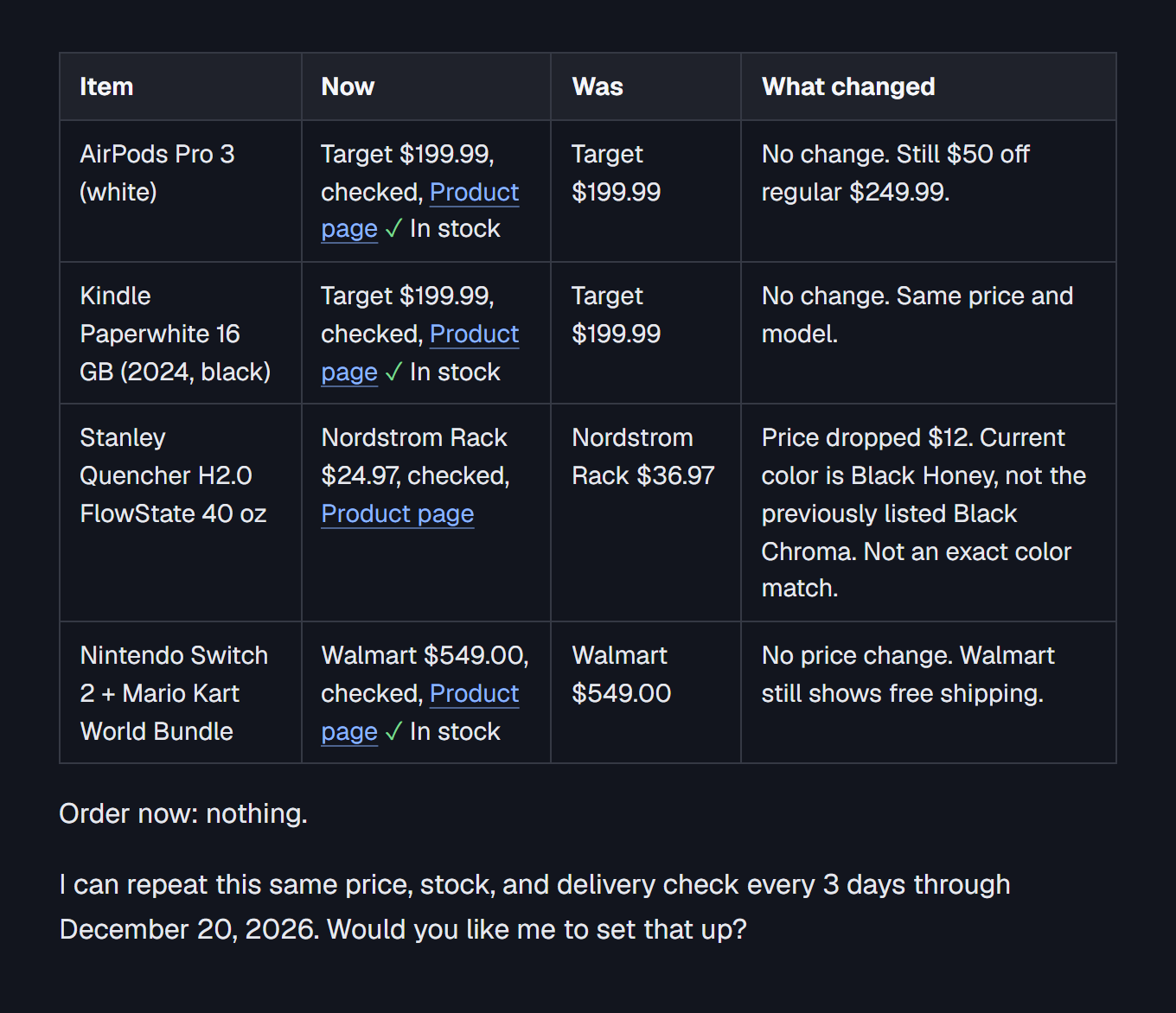
Example result
We filled in: My list from last time: see your previous answer in this chat. Need it by: December 20, 2026. My ZIP code: 10001. Check again every: 3 days.
AirPods Pro 3 (white)
- Now
- Target $199.99, checked, Product page
- Yes: In stock
- Was
- Target $199.99
- What changed
- No change. Still $50 off regular $249.99.
Kindle Paperwhite 16 GB (2024, black)
- Now
- Target $199.99, checked, Product page
- Yes: In stock
- Was
- Target $199.99
- What changed
- No change. Same price and model.
Stanley Quencher H2.0 FlowState 40 oz
- Now
- Nordstrom Rack $24.97, checked, Product page
- Was
- Nordstrom Rack $36.97
- What changed
- Price dropped $12. Current color is Black Honey, not the previously listed Black Chroma. Not an exact color match.
Nintendo Switch 2 + Mario Kart World Bundle
- Now
- Walmart $549.00, checked, Product page
- Yes: In stock
- Was
- Walmart $549.00
- What changed
- No price change. Walmart still shows free shipping.
Order now: nothing.
I can repeat this same price, stock, and delivery check every 3 days through December 20, 2026. Would you like me to set that up?
Remove names, account numbers and codes before you paste.
Some stores block AI page reads; the prompt marks those prices unverified, so open the link before you buy.